 Plainware Tabs
Never lose your tabs, with backup files you own.
Plainware Tabs keeps automatic snapshots of your windows, tab groups and pinned tabs, so you can bring them back after a crash or a mistake. Save and close, import from OneTab, and keep backup files on your own computer. No account, and nothing is uploaded.
Free core tools, plus a one-time Pro. Made for Google Chrome 122 or newer, on Windows, Mac, Linux and ChromeOS.
Screens from Plainware Tabs
Saved sessions 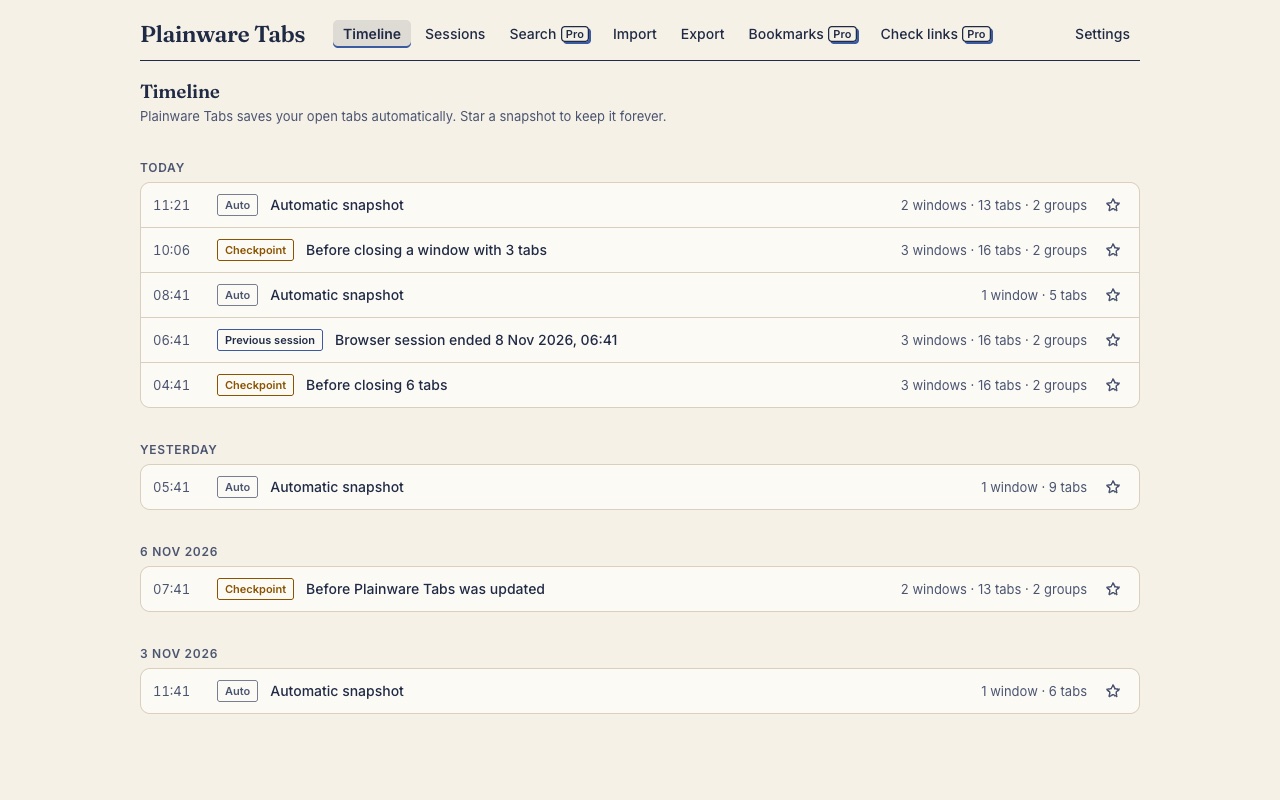
Automatic snapshots 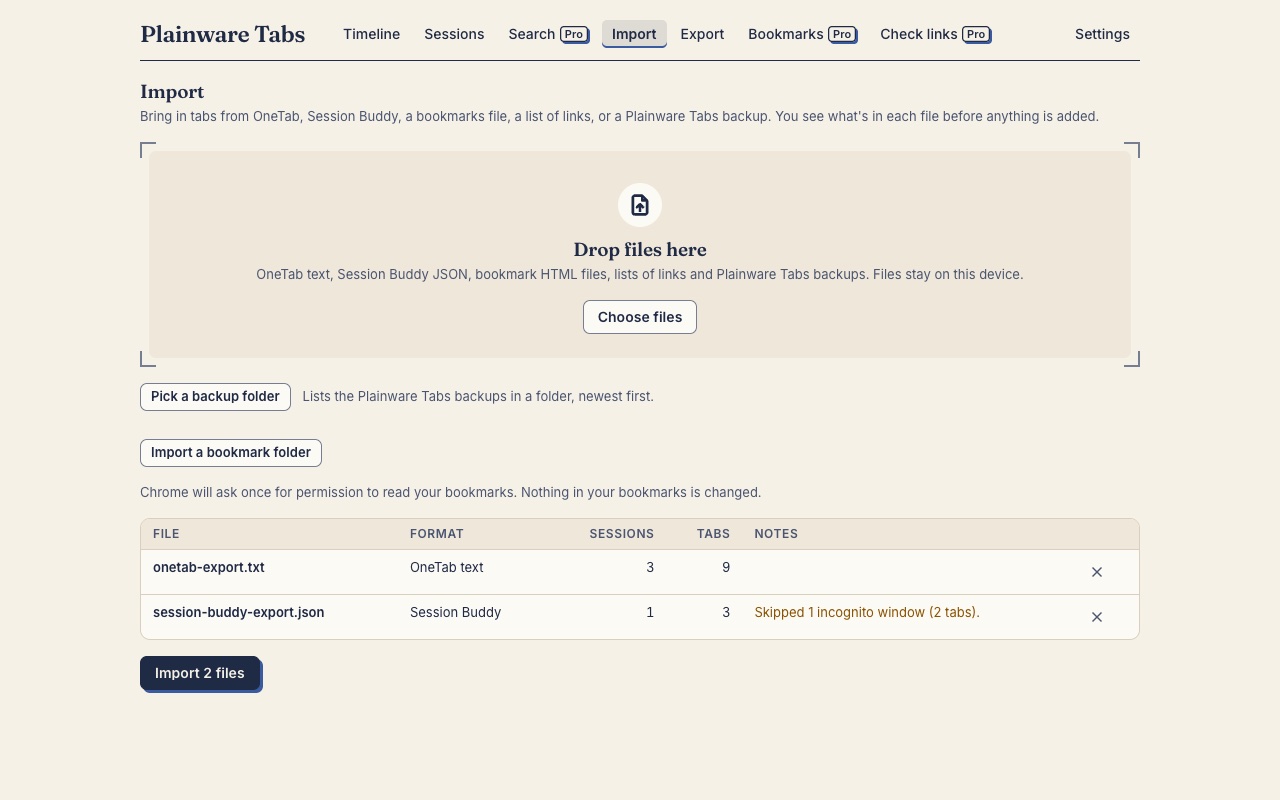
Import from OneTab 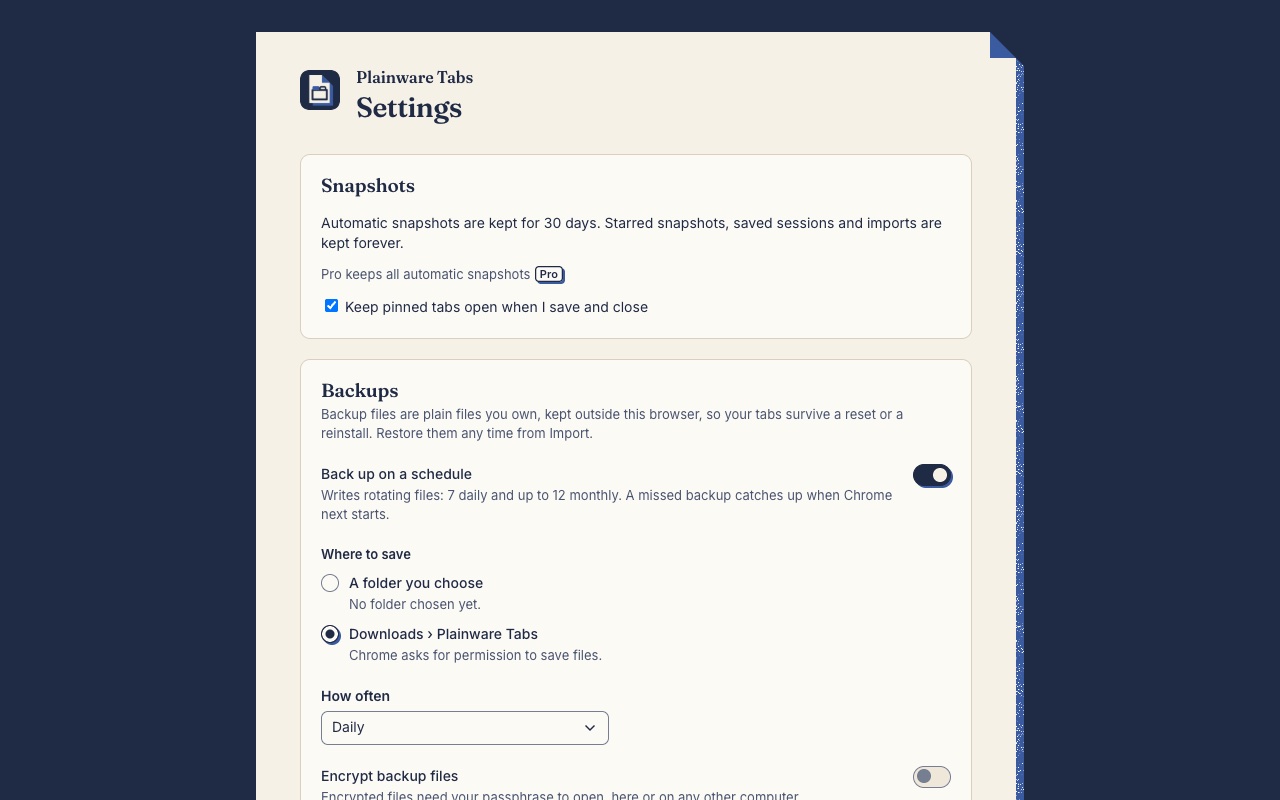
Backup files (Pro)
What it does
Free tools
No account, nothing uploaded, no nags.
Automatic snapshots
A snapshot is taken after your tabs, groups or windows change, and every 15 minutes as a safety net. Before a big loss, such as closing a window with several tabs, it keeps the state from just before.
Previous-session recovery
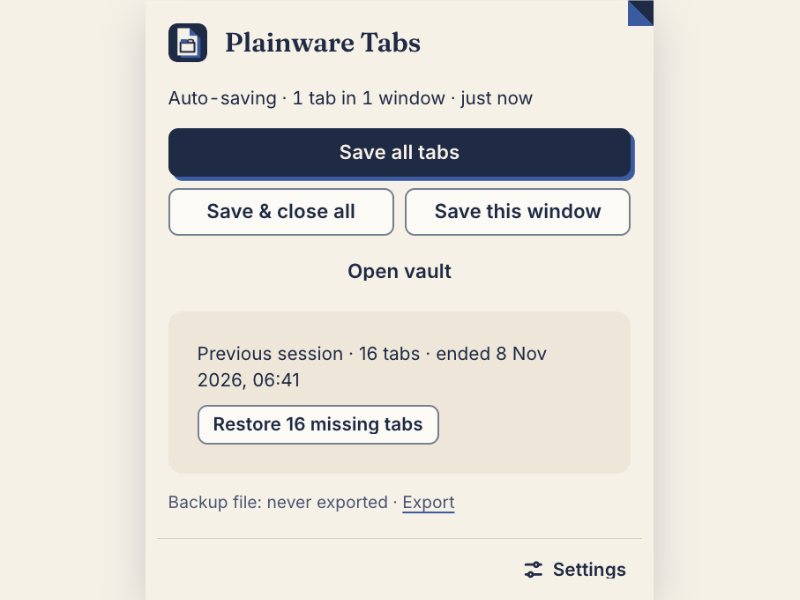
After Chrome restarts, the popup offers your last session with “Restore missing tabs”. It is never overwritten by the new session.
Save and close
Save and close writes all your windows as a saved session, then closes the tabs. It closes them only after the saved copy has been written and read back, and only the tabs still at their saved address. Pinned tabs stay open by default. Save all tabs and Save this window save without closing anything. Rename a session in the vault.
Faithful restore
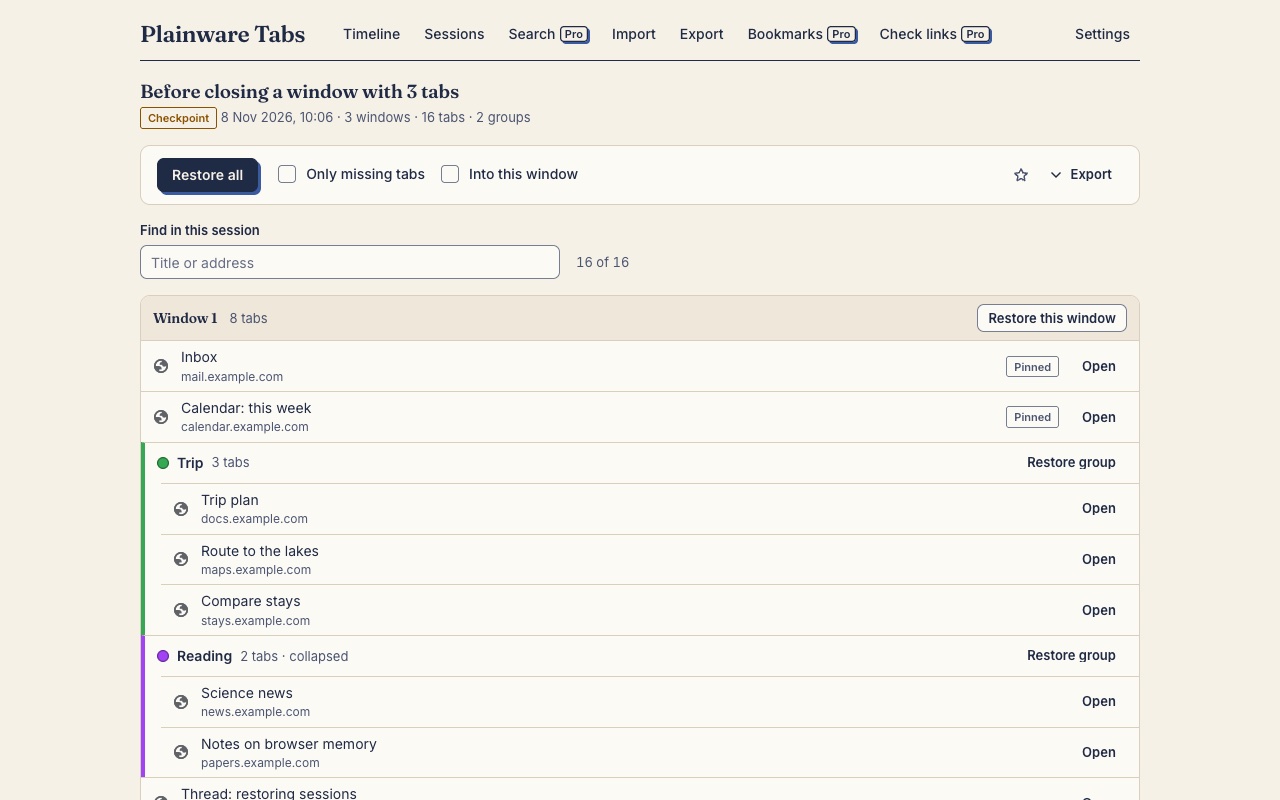
Restore everything, one window, one group or one tab, with windows, order, pinned tabs and tab groups (title, colour and collapsed state). Tabs come back unloaded except the active one in each window, so a big restore doesn’t freeze Chrome.
30 days of history
Automatic snapshots are kept for 30 days: all of them for the first 2 days, then thinned to at most two an hour until day 7, then at most two a day. Saved sessions, imports and snapshots you star are kept until you delete them.
Weekly backup file
Once you allow it, a backup file is written each week to Downloads › Plainware Tabs, and the newest four are kept. It only ever removes files it made itself.
Import
Bring in OneTab export text, Session Buddy backups, bookmark files from any browser, a bookmark folder, plain lists of links and Plainware Tabs backups. Imports only add, and anything it skips is counted and shown.
Export
Save everything as a backup file, one session as a readable web page, OneTab-style text, or a bookmarks file.
Find in a session
Filter the session or snapshot you’re looking at by title or address.
Integrity check
A damaged snapshot is flagged instead of restored. If the vault can’t be opened, it offers to import a backup file.
Pro tools
With Plainware Pro: ₹249 in India or $9 everywhere else, once.
Scheduled backup files
Back up daily, every 6 hours or weekly, to a folder you choose or to Downloads › Plainware Tabs, keeping a rotating set of files. A backup is skipped rather than overwrite good files with an empty or damaged vault.
Longer history
Keep automatic snapshots beyond 30 days, at most two a day after that. Snapshots you already have when you buy Pro are kept too.
Encrypted backups
Protect backup files with a passphrase (AES-GCM, with a key made by PBKDF2 at 600,000 iterations). We can’t recover a forgotten passphrase. Decrypting and importing is free.
Bookmark backup
Keep versions of your bookmarks, see what was added, removed, moved or renamed, and restore chosen items into a new folder. It never overwrites your bookmarks.
Bookmark dedupe
Find bookmarks with the same address and choose which to keep. A bookmark version is saved first so you can undo.
Search everything
One search across all snapshots, saved sessions, imports and bookmark versions, showing when each link was last seen.
Dead-link check
Check the links in a session or your bookmarks. The default check only asks whether each site answers, and goes wherever opening the link yourself would, including through redirects. An optional deeper check can find pages that no longer exist (404 or 410) and server errors. It asks for access only at that moment, and refuses to follow a redirect to a private address.
Free and Pro, side by side
| Tool | Free | Pro |
|---|---|---|
| Automatic snapshots | Included | Included |
| Previous-session recovery | Included | Included |
| Save and close | Included | Included |
| Faithful restore | Included | Included |
| 30 days of history | Included | Included |
| Weekly backup file | Included | Included |
| Import | Included | Included |
| Export | Included | Included |
| Find in a session | Included | Included |
| Integrity check | Included | Included |
| Scheduled backup files Pro | Not included | Included |
| Longer history Pro | Not included | Included |
| Encrypted backups Pro | Not included | Included |
| Bookmark backup Pro | Not included | Included |
| Bookmark dedupe Pro | Not included | Included |
| Search everything Pro | Not included | Included |
| Dead-link check Pro | Not included | Included |
| Price | Free | ₹249 or $9, once |
| Saved sessions | Kept until you delete them | Kept until you delete them |
| Automatic history | 30 days | Kept longer |
| Account | Not needed | Not needed (key by email) |
| Works offline | Yes | Yes, except the dead-link check |
Honest by design
- The vault is on your computer. Nothing is uploaded, and there’s no account, ad or analytics.
- It asks Chrome for the tabs permission, which Chrome words as “Read your browsing history”. That is how it reads your tabs’ addresses and titles, and they never leave your computer.
- Backup files are written where you can see them, so your tabs outlive Chrome, the extension and the profile.
- It never closes a tab until the saved copy has been read back, and it never deletes your bookmarks.
- It doesn’t capture Incognito windows.
- If Pro ends, nothing is deleted. Scheduled backups pause, and the files you have stay restorable.
Permissions, and why it asks
tabs- Chrome shows this as “Read your browsing history”. It reads each tab’s address and title so snapshots, Save and close and Restore missing tabs work. The data stays on your computer.
tabGroups- Reads and recreates tab group titles, colours and collapsed state.
storage- Keeps your settings, small status values and Pro licence in this browser.
unlimitedStorage- Keeps the snapshot vault from being cleared when Chrome tidies up storage.
alarms- Runs the 15-minute safety snapshot, the history clean-up and the backup schedule.
offscreen- Builds backup files and writes them to the folder you chose.
favicon- Shows site icons from Chrome’s own cache, with no requests to other sites.
downloads (optional)- Asked for when you turn on backup files in Downloads. It lets the extension write, and tidy up, the files in Downloads › Plainware Tabs.
bookmarks (optional)- Asked for when you turn on bookmark backup (Pro) or import a bookmark folder.
site access (optional, Pro)- Asked for only if you tick the deeper dead-link check, and removed when the check ends.
Step-by-step guides
- Restore your tabs after Chrome crashes or restarts
Get your windows, tab groups and pinned tabs back after Chrome crashes, updates or restarts with one empty window. Plainware Tabs keeps automatic snapshots on your computer.
- Move your OneTab lists into another tab manager
Export your OneTab lists and import them into Plainware Tabs, which also reads Session Buddy backups and bookmark files. Imports only add, and nothing is skipped silently.
- Back up your open tabs to a file
Save all your windows, tab groups and pinned tabs to a file on your computer, by hand or automatically each week. Plainware Tabs backup files work without an account.
- Save your tabs and close them, then bring them back later
Park a project: save all your windows as a session, close the tabs to free memory, and restore them later with their groups, a whole window or one tab at a time. No account, free.
Questions
Why does it ask to “Read your browsing history”?
That is Chrome’s wording for the tabs permission. Plainware Tabs needs it to see the address and title of each open tab so it can snapshot, save and restore them. It reads open tabs only, keeps what it reads on your computer, and never uploads it.
Where are my tabs stored, and what if I lose them?
In the extension’s own storage inside your Chrome profile. That storage is gone if you remove the extension or reset the profile, which is why Plainware Tabs writes backup files you can keep. You can import one on a new computer or after a reinstall.
How do the free backup files work?
When you allow it, Chrome asks for permission to manage downloads. After that a backup file is written each week into Downloads › Plainware Tabs and the newest four are kept. It only removes files it made itself. If you say no, nothing is written, and a quiet line in the vault offers to turn it on later.
How do I move from OneTab?
Open OneTab’s export, copy the text, and paste it into Plainware Tabs’s Import. Session Buddy backups, bookmark files from any browser and lists of links work too. Imports only add to what you have, and anything skipped is counted and shown so nothing disappears quietly.
What happens after Chrome crashes?
When Chrome restarts, the popup shows a Previous browser session card. Click Restore missing tabs to open only the tabs that aren’t already open. Windows, order, pinned tabs and tab groups come back, with tabs unloaded until you click them.
Will restoring hundreds of tabs freeze Chrome?
It’s built not to. Tabs come back unloaded except the active tab in each window, and no more than four load at a time. Chrome may show the address as the title of an unloaded tab until you click it.
How long is history kept?
Free keeps automatic snapshots for 30 days: all of them for the first 2 days, then at most two an hour until day 7, then at most two a day. Saved sessions, imports and starred snapshots are kept until you delete them. Pro keeps automatic snapshots beyond 30 days, at most two a day, and keeps the snapshots you already had when you bought it.
How does encryption work?
Pro can protect backup files with a passphrase you choose, using AES-GCM with a key made by PBKDF2 at 600,000 iterations. The passphrase stays on your device, and we can’t recover it if you forget it. Decrypting and importing an encrypted file is free.
What does the dead-link check send over the network?
Only requests to the links you ask it to check, made without cookies. Links on your own network, such as localhost or a private address, are never requested. The default check needs no permission and only asks whether each site answers. Like opening the link yourself, it follows redirects and can’t see where they end. The optional deeper check asks Chrome for access to read web addresses’ status codes, follows up to five redirects only when they lead to public addresses, and removes that access when the check ends. Nothing about your tabs is sent anywhere else.
Doesn’t Chrome already save tab groups?
Chrome can save and sync tab groups when you’re signed in and sync is on. Plainware Tabs doesn’t replace that. It restores groups as normal Chrome groups, and adds saved versions, history and backup files that don’t depend on sync.
Does it work in Incognito?
No. Incognito windows are never captured.
Is Pro a subscription?
No. Plainware Pro is one payment: ₹249 in India or $9 elsewhere. The same key also unlocks Pro in every other Plainware extension, including ones released later. Losing Pro never deletes anything: your snapshots stay, and scheduled backups pause.
Which browsers does it work in?
It’s made for Google Chrome 122 or newer on Windows, Mac, Linux and ChromeOS.
Try Plainware Tabs
The free tools work the moment it’s installed. No sign-up.