 Plainware Recorder
Record your screen and keep the video on your own computer.
Record a tab, a window or your whole screen, with your microphone. There’s no account, no time limit and no watermark, and nothing is uploaded: the recording is written to your own disk as it goes, and you save the file where you choose.
Free core tools, plus a one-time Pro. Made for Google Chrome 126 or newer, on Windows, Mac, Linux and ChromeOS.
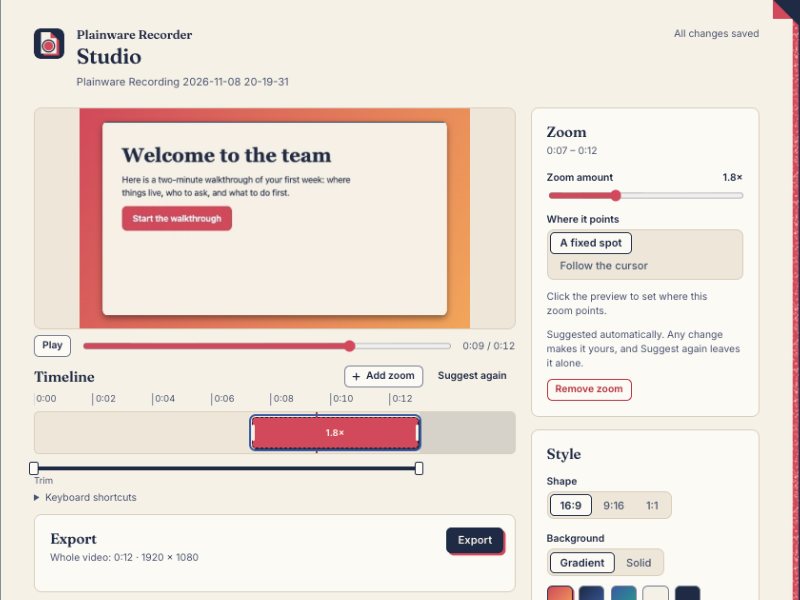
Screens from Plainware Recorder
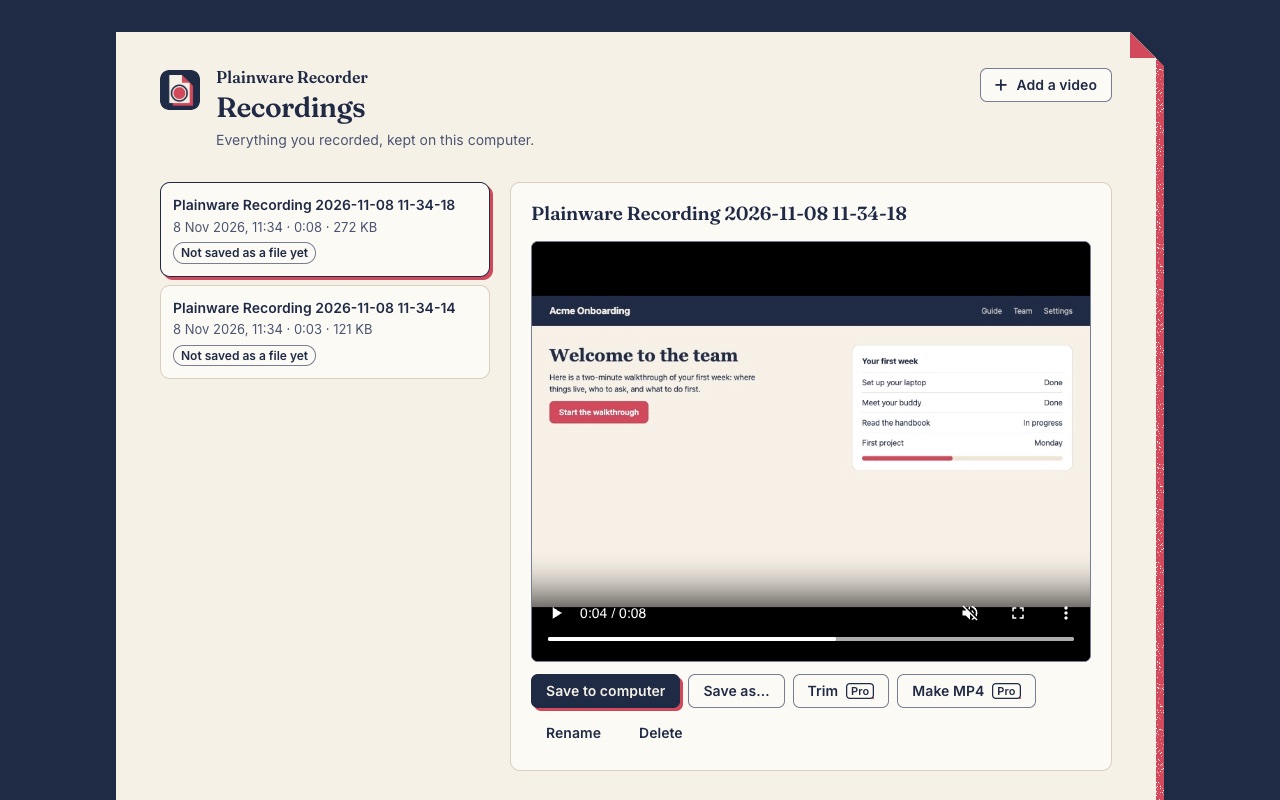
Your recordings 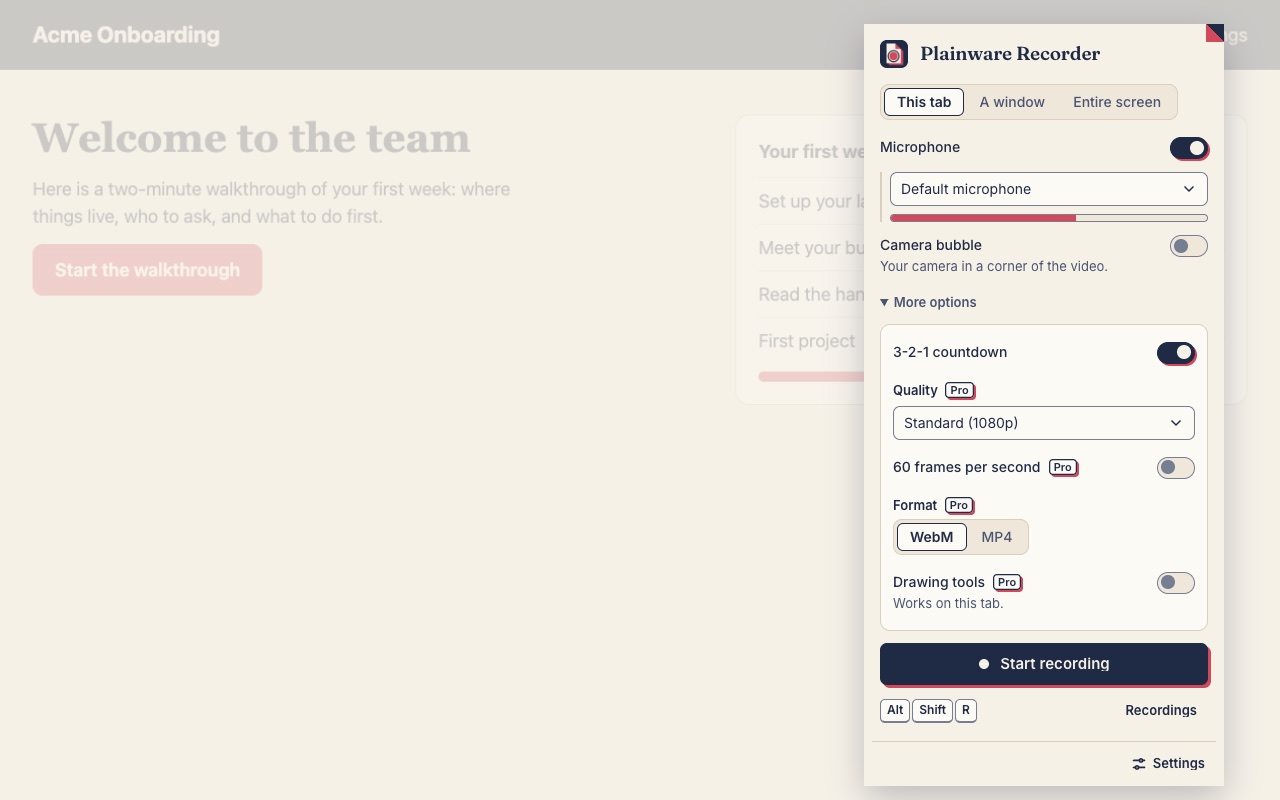
Record panel 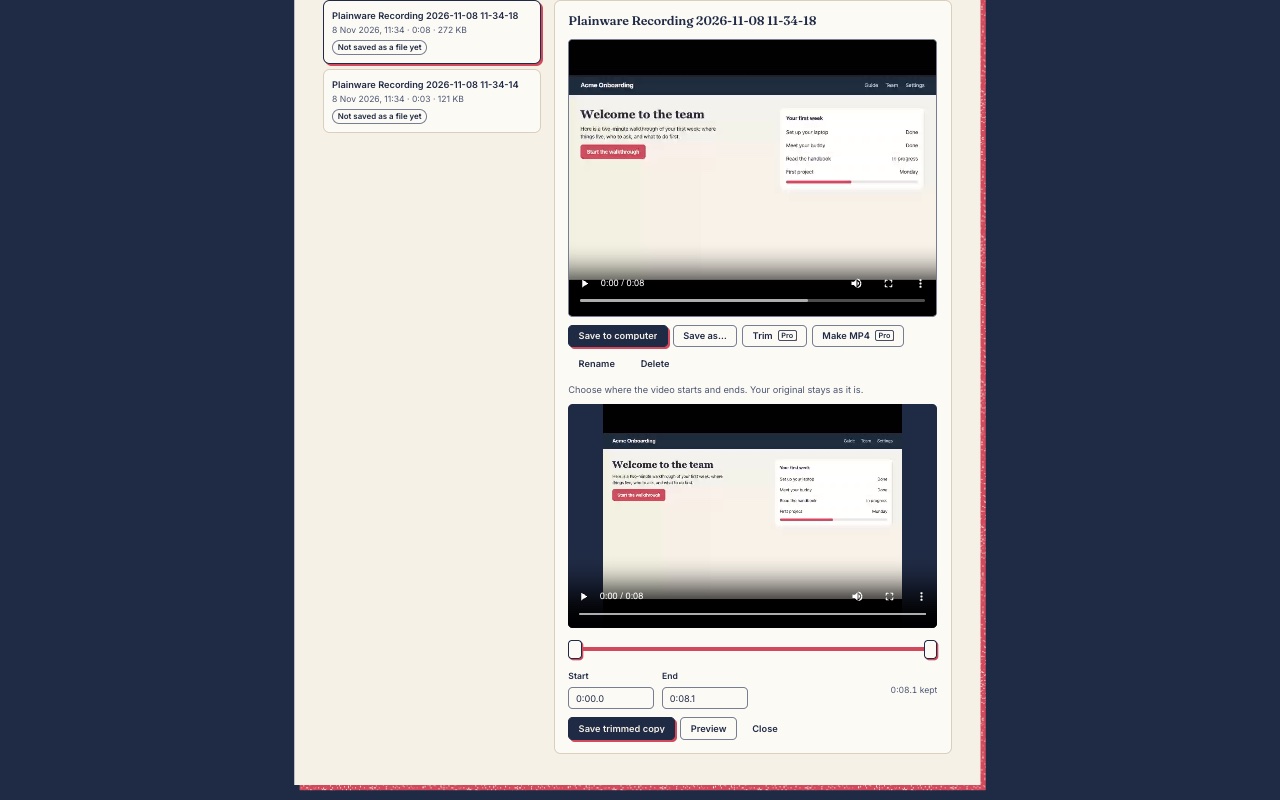
Trim (Pro) 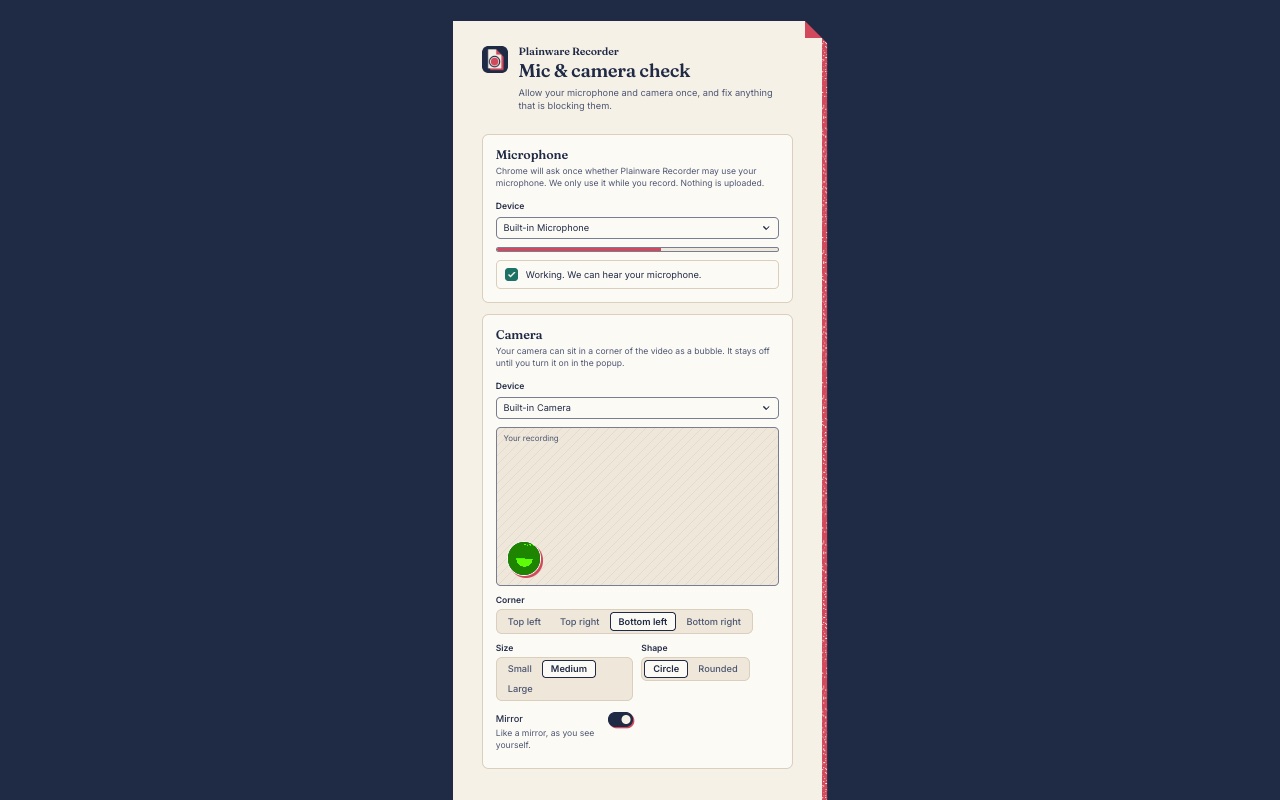
Mic and camera check
What it does
Free tools
No time limit, no watermark, no account.
Tab, window or whole screen
Pick what to record in Chrome’s own share picker. “Share this tab instead” lets you switch tabs mid-recording, and the video keeps one fixed size.
Microphone
Choose a device, watch a live level meter, and get a warning if it goes silent. Echo cancellation and noise suppression are on.
Tab and system audio
Include whatever Chrome offers: tab audio, or on some systems the computer’s sound. You keep hearing the tab. Tab or system sound and your microphone are mixed into the recording’s one audio track. If they can’t be mixed, only your microphone is kept, and the library tells you. Availability depends on your system, and it says when no tab or system audio was shared.
Camera bubble
Put your camera in a corner of the video. Choose the corner, the size, a circle or rounded square, and mirroring. The bubble is drawn into the video, so it works the same for a tab, window or screen.
No time limit
Record for as long as your disk allows. It warns you before you start if free space is under 2 GB.
Pause, countdown and shortcuts
A 3-second countdown you can turn off, Pause and Resume, and shortcuts you can change: Alt+Shift+R to start or stop, Alt+Shift+P to pause.
WebM, finished properly
Recordings are saved as WebM with a real duration, so they can be seeked in a player. Standard quality is up to 1080p at 30 frames per second.
Library
Play, rename, Save to computer, Save as to a folder you pick, Save all to a folder, and delete. It marks recordings you haven’t saved as a file yet and shows how much space they use.
Crash recovery
If Chrome crashes or the disk fills, what was recorded is kept and shows up as Recovered, with a Finish button to make it seekable.
Add a video
Bring a WebM or MP4 file into the library, for example to trim or convert it later.
Pro tools
With Plainware Pro: ₹249 in India or $9 everywhere else, once.
MP4
Record to MP4, or convert any library recording with Make MP4, with progress and a cancel button. If your Chrome can’t make MP4 files, it says so before you record.
Trim
Drag two handles, preview, and save a trimmed copy. Your original is kept.
Drawing tools and cursor highlight
A pen, a highlighter that fades after two seconds, a cursor halo and a click ripple. They’re drawn on the page where you started recording, so they appear in the video whenever that page is being shared.
Quality presets
Small file (720p), Sharp (1440p) and Max (up to 2160p), plus 60 frames per second.
Free and Pro, side by side
| Tool | Free | Pro |
|---|---|---|
| Tab, window or whole screen | Included | Included |
| Microphone | Included | Included |
| Tab and system audio | Included | Included |
| Camera bubble | Included | Included |
| No time limit | Included | Included |
| Pause, countdown and shortcuts | Included | Included |
| WebM, finished properly | Included | Included |
| Library | Included | Included |
| Crash recovery | Included | Included |
| Add a video | Included | Included |
| MP4 Pro | Not included | Included |
| Trim Pro | Not included | Included |
| Drawing tools and cursor highlight Pro | Not included | Included |
| Quality presets Pro | Not included | Included |
| Price | Free | ₹249 or $9, once |
| Recording length | No limit | No limit |
| Watermark on your videos | Never | Never |
| Account | Not needed | Not needed (key by email) |
| Works offline | Yes | Yes, after one key check |
Honest by design
- Nothing is uploaded. There’s no server to send a recording to, and the extension’s own security policy only allows connections to the licence provider.
- No account, no ads, no analytics, no watermark, no time limit.
- It uses the microphone and camera only while you’re recording or setting them up, and asks Chrome for access on its own check page, never at install.
- The camera bubble is free. Pro is MP4, trim, drawing and quality.
- It never discards a recording on its own. A crash, a full disk or Chrome’s Stop sharing button all keep what was recorded.
- Trim and Make MP4 always make a new copy. They never overwrite your original.
Permissions, and why it asks
offscreen- Hosts the recording, so it keeps going when you change tabs, close the popup or Chrome pauses the extension’s background worker.
storage- Keeps your recorder settings, the live recording status and your Pro licence in this browser.
unlimitedStorage- Lets long recordings of several gigabytes be kept on this computer without hitting Chrome’s storage limit.
activeTab- Shows the countdown and the Pro drawing tools only on the tab where you clicked the button or pressed a shortcut.
scripting- Adds the countdown and drawing overlay to that one tab, only when you start recording from it.
Microphone and camera- Chrome asks once, on Plainware Recorder’s own check page, and only if you turn them on.
Step-by-step guides
- Record your screen without uploading it
Record a tab, window or your whole screen in Chrome, with no account, no time limit and no watermark. The video stays on your computer, and you can check that nothing is uploaded.
- Record a Chrome tab with sound and your voice
Record a tab with its sound, your microphone, or both. Plainware Recorder is free, has no time limit or watermark, and says honestly when Chrome didn’t share any sound.
- Trim a screen recording without uploading it
Cut the start and end off a recording on your own computer. Plainware Recorder’s trim (a Pro tool) makes a new copy and keeps your original.
- Save a Chrome screen recording as MP4
Chrome screen recorders save WebM. Plainware Recorder records free WebM, and its Pro tools can record to MP4 or convert a recording to MP4 on your computer, with no upload.
Questions
Is my recording uploaded anywhere?
No. Recordings are stored on your computer, in Chrome’s private file storage for the extension, and saved where you choose. The extension has no server, and its security policy only allows connections to the Pro licence provider.
Where does my recording go when I press Stop?
The Library opens with the new recording. Choose Save to computer to put the file in your Downloads, or Save as to pick a folder and name. Saving a copy doesn’t remove it from the Library. Until you save a file, the recording lives only in the extension’s storage, and the Library marks it “Not saved as a file yet”.
What happens if I uninstall it?
Chrome deletes the extension’s stored data, which includes recordings you never saved as files. Files you saved to your computer stay. The Library shows how many recordings aren’t saved yet, and Settings can save them all to a folder.
Is there a time limit or a watermark?
No. Your disk is the only limit, and it warns you before you start if free space is under 2 GB. There’s never a watermark.
Can it record sound from a tab or my computer?
Often, but it depends on Chrome and your system. For a tab, tick “Also share tab audio” in Chrome’s picker. Sharing the whole screen can include system sound on Windows and ChromeOS. Plainware Recorder never promises it, and the library tells you when no tab or system audio was shared. Tab or system sound and your microphone are mixed into one audio track, and if they can’t be mixed, only your microphone is kept. Your microphone works either way.
What if Chrome crashes while I’m recording?
It writes to disk every second, so at most the last second or two is lost. After a crash or a full disk the recording shows up as Recovered, and Finish makes it seekable.
Why is MP4 a Pro feature?
Recordings are WebM, which Chrome and many players open, but some apps want MP4. Pro adds MP4, either recorded directly or converted afterwards with Make MP4. Whether this works depends on your Chrome, and it says so before you record.
Is the camera bubble free?
Yes. Choose the corner, the size, the shape and mirroring. It’s drawn into the video.
Does it work in Incognito?
No. Recording Incognito tabs isn’t supported, because it would store them in your normal profile or fail on long recordings. Recording a window or the whole screen captures whatever is on screen.
Do I need anyone’s permission to record?
That’s up to you. If other people are in a meeting or call you’re recording, tell them first and follow any rules that apply to you.
Is Pro a subscription?
No. Plainware Pro is one payment: ₹249 in India or $9 elsewhere. The same key also unlocks Pro in every other Plainware extension, including ones released later. Your recordings and free features are unaffected either way.
Which browsers does it work in?
It’s made for Google Chrome 126 or newer on Windows, Mac, Linux and ChromeOS.
Try Plainware Recorder
The free tools work the moment it’s installed. No sign-up.