 Plainware PDF
PDF tools that never upload your files.
Merge, compress, fill and sign, split and convert PDFs inside Chrome. Your files are processed on your own computer, there’s no account, and the core tools are free with no limits or watermarks.
Free core tools, plus a one-time Pro. Made for Google Chrome on Windows, Mac, Linux and ChromeOS.
Screens from Plainware PDF
Fill and sign 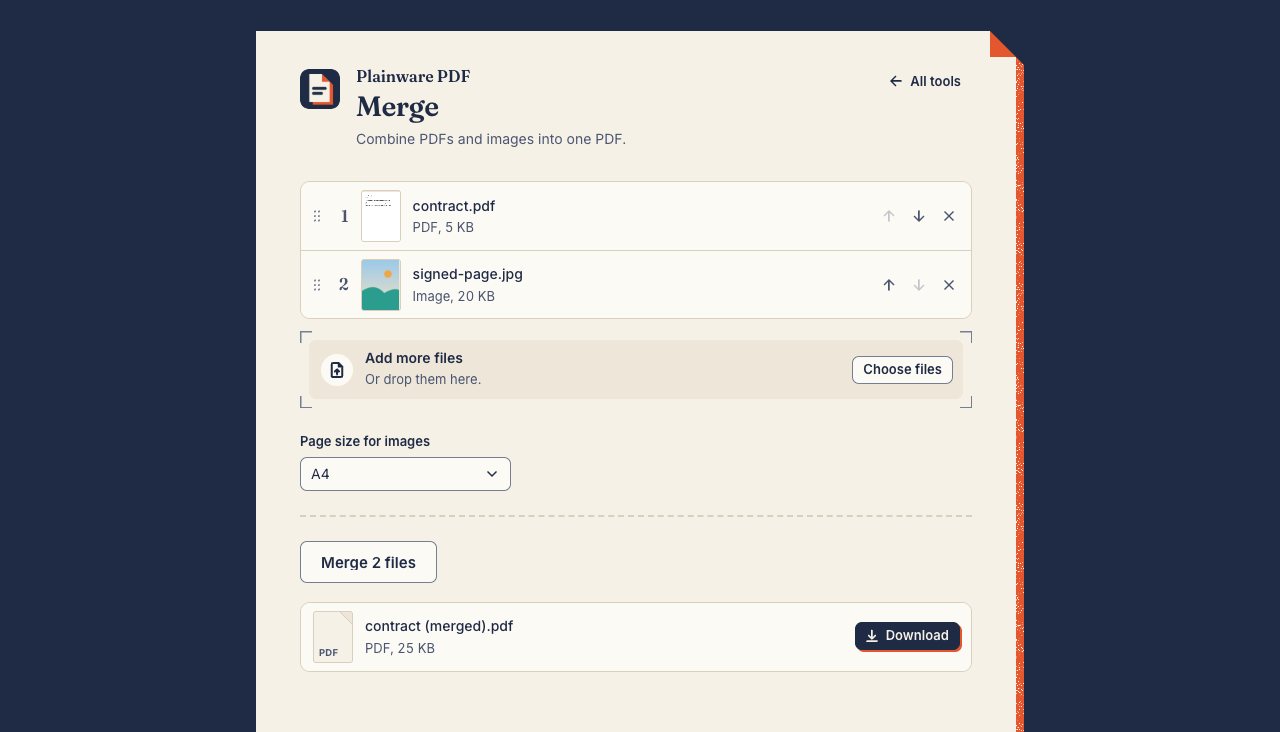
Merge 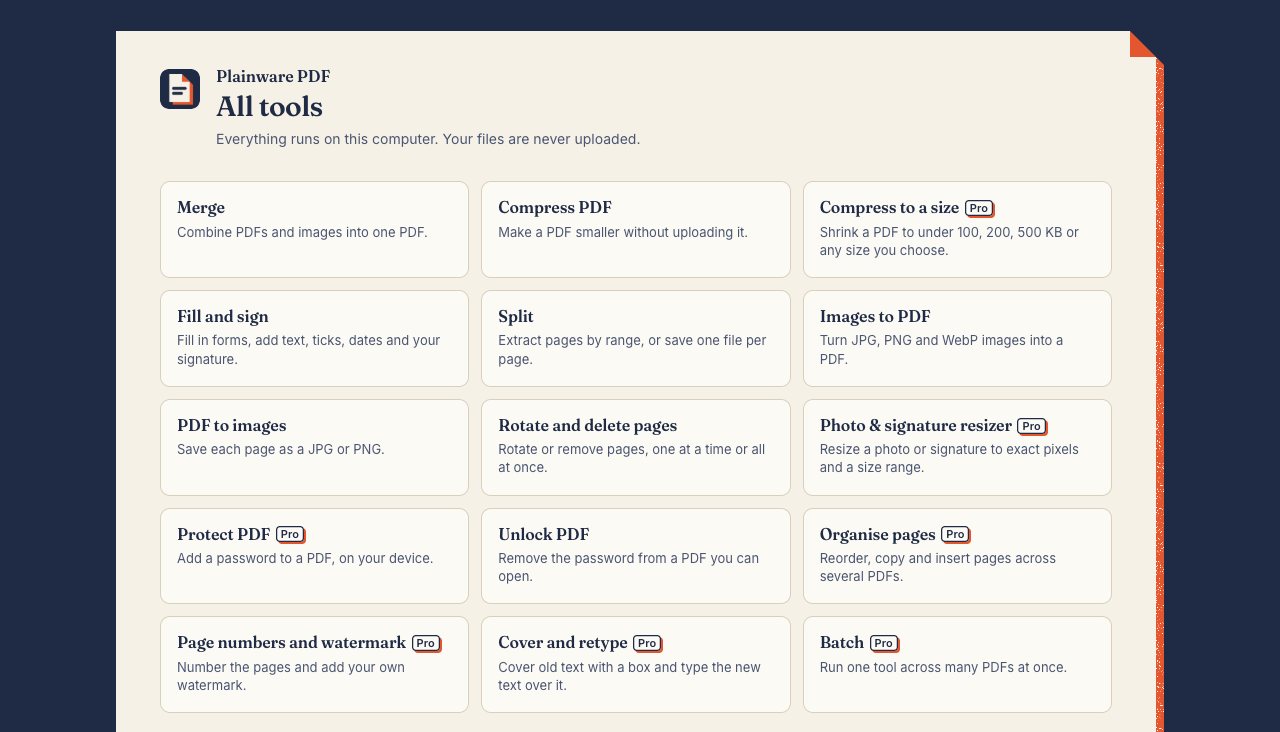
All the tools 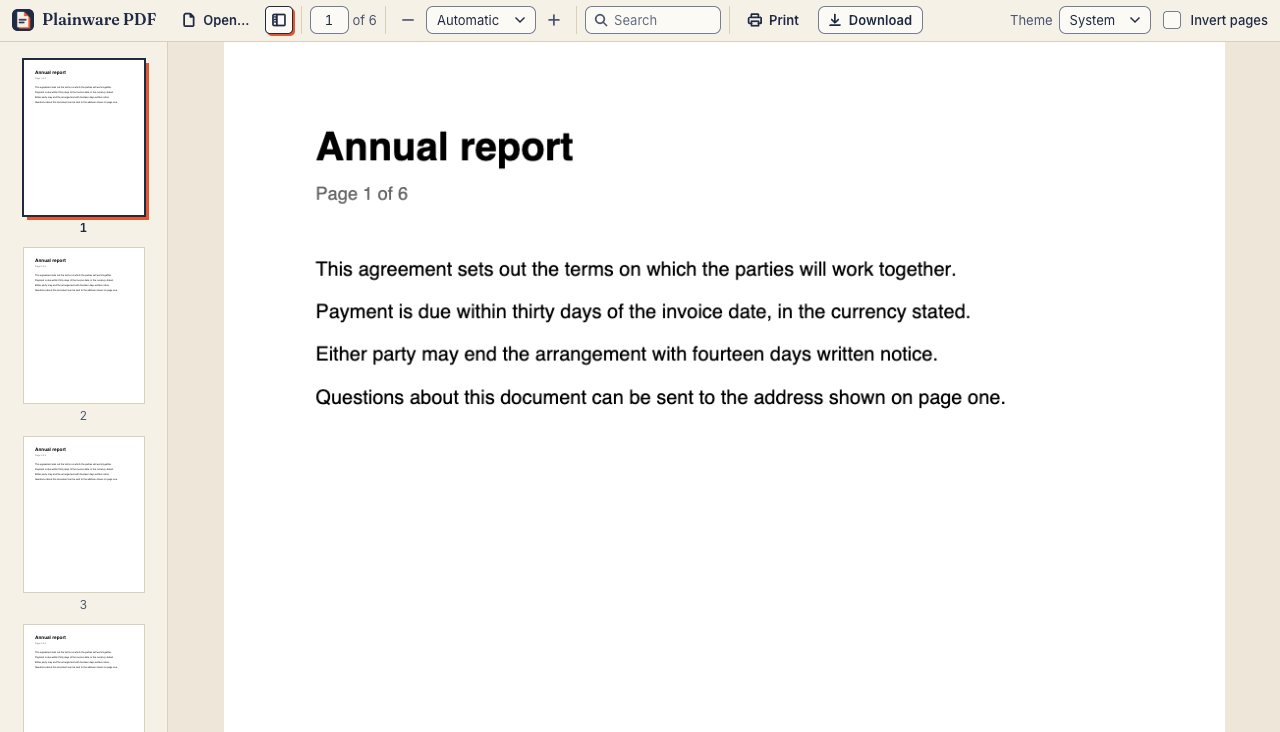
Viewer
What it does
Free tools
No limits, no watermark, no account.
Merge
Combine PDFs and images (JPG, PNG, WebP) into one PDF. Drag the files into the order you want.
Compress
Make a PDF smaller with a light, medium or strong setting.
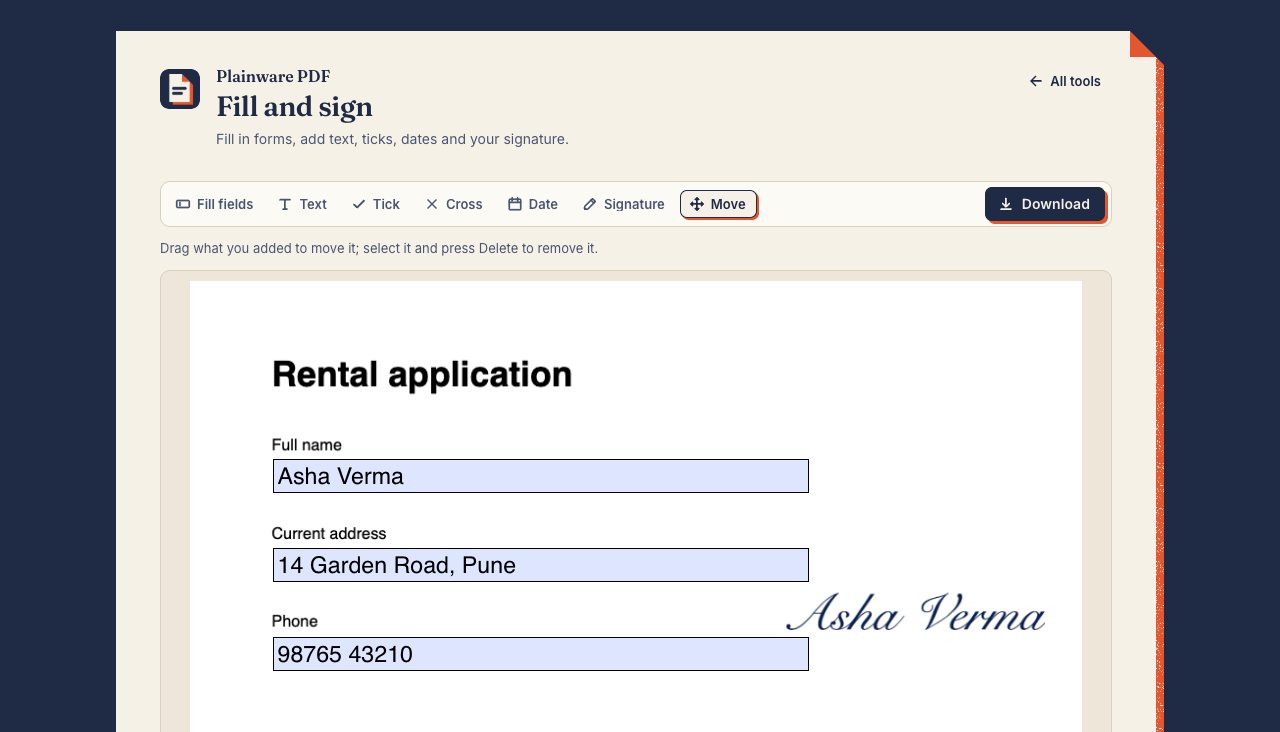
Fill and sign
Type into form fields or anywhere on the page, add ticks, crosses and today’s date, and sign by drawing, typing or uploading your signature.
Split
Pull out pages by range, such as 1-3, 7, or save one file per page.
Images to PDF
Turn JPG, PNG and WebP images into a PDF on A4, Letter or a page that fits each image.
PDF to images
Save each page as a JPG or PNG.
Rotate and delete pages
Turn or remove pages, one at a time or all at once.
Unlock
Remove the password from a PDF when you know the password.
Viewer
A fast PDF viewer with thumbnails, zoom, search and a dark mode.
Pro tools
With Plainware Pro: ₹249 in India or $9 everywhere else, once.
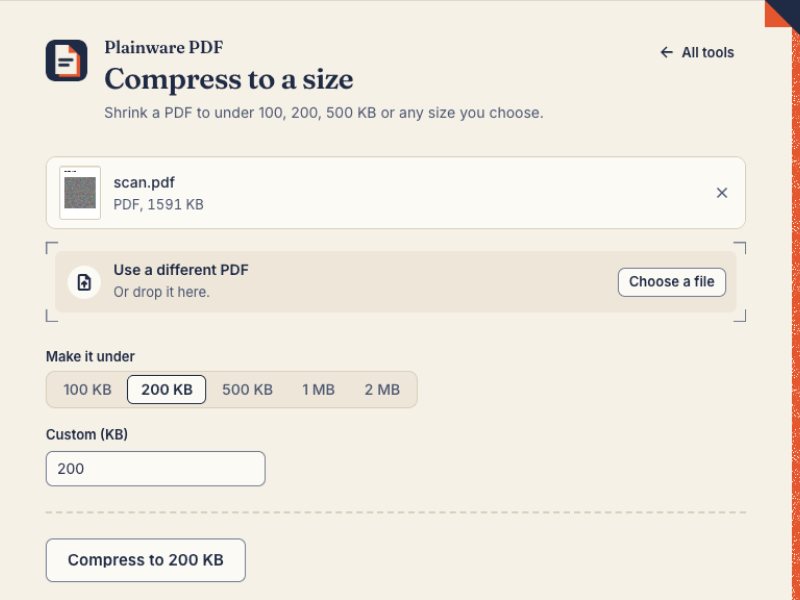
Compress to a size
Get a PDF under 100 KB, 200 KB, 500 KB, 1 MB, 2 MB or any size you type. It shows the real size, and tells you if the text stopped being selectable.
Photo and signature resizer
Resize a photo or signature to exact pixels and a file-size range for application forms.
Protect
Add a password to a PDF, encrypted with AES-256.
Organise pages
Reorder, copy and insert pages across several PDFs.
Page numbers and watermark
Number the pages and add your own watermark. Plainware never adds one of its own.
Cover and retype
Cover old text with a box and type new text over it. The old text is hidden on the page but stays in the file.
Batch
Run Compress, Compress to a size, Protect or PDF to images on many PDFs at once, and download a zip.
Free and Pro, side by side
| Tool | Free | Pro |
|---|---|---|
| Merge | Included | Included |
| Compress | Included | Included |
| Fill and sign | Included | Included |
| Split | Included | Included |
| Images to PDF | Included | Included |
| PDF to images | Included | Included |
| Rotate and delete pages | Included | Included |
| Unlock | Included | Included |
| Viewer | Included | Included |
| Compress to a size Pro | Not included | Included |
| Photo and signature resizer Pro | Not included | Included |
| Protect Pro | Not included | Included |
| Organise pages Pro | Not included | Included |
| Page numbers and watermark Pro | Not included | Included |
| Cover and retype Pro | Not included | Included |
| Batch Pro | Not included | Included |
| Price | Free | ₹249 or $9, once |
| Daily limits | None | None |
| Watermark on your files | Never | Never |
| Account | Not needed | Not needed (key by email) |
| Works offline | Yes | Yes, after one key check |
Honest by design
- Free tools never ask for money, an account or an email address.
- No popups, tours, upgrade banners or requests to rate it.
- Pro tools are tagged before you open them. You’re never asked to pay after you’ve done the work.
- Pro is one payment. Once unlocked it stays unlocked, even offline.
- Opening every PDF in Plainware PDF automatically is optional, and off until you turn it on.
Permissions, and why it asks
storage- Keeps your settings, any signatures you choose to save and your Pro licence in this browser.
activeTab- Lets it read the PDF in the current tab, and only after you click the Plainware PDF button.
contextMenus- Adds “Open in Plainware PDF” when you right-click a link to a PDF.
declarativeNetRequestWithHostAccess- Used only if you turn on “Open PDFs in Plainware PDF automatically”. Chrome asks for site access at that moment, not at install.
Step-by-step guides
- Compress a PDF to under 100 KB
How to get a PDF under 100 KB for an application form: why scans are big, what to try first, and how to do it on your own computer with Plainware PDF.
- Compress a PDF to under 200 KB
200 KB limits get hard with multi-page documents. Work out your per-page budget, make room, and compress on your own computer with Plainware PDF.
- Merge PDF files without uploading them
Combine PDFs and images into one file inside Chrome. Nothing is uploaded, Merge is a free tool with no limits or watermark, and you can check it works offline.
- Fill in and sign a PDF form in Chrome
Type into a PDF form, tick boxes, add the date and sign it without printing, scanning or uploading. A free tool in Plainware PDF, with drafts that survive closing the tab.
Questions
Are my files uploaded anywhere?
No. Plainware PDF opens and changes PDFs inside your browser, on your computer. It makes only two kinds of network request: checking a Pro licence key with Dodo Payments, and fetching a PDF you asked it to open from a web address.
Does it work offline?
Yes. Once it’s installed, every tool works without an internet connection. Pro needs a connection once, to check your key when you enter it. After that it stays unlocked offline.
What’s free, and will that change?
Nine tools are free: merge, compress, fill and sign, split, images to PDF, PDF to images, rotate and delete pages, unlock, and the viewer. They have no daily limits, no waiting and no watermark, and they never ask for money, an account or an email address.
Is Pro a subscription?
No. Plainware Pro is one payment: ₹249 in India or $9 elsewhere. The same key also unlocks Pro in other Plainware extensions.
Can it edit the existing text in my PDF?
Not in its original font. Cover and retype (Pro) puts a box over the old text and lets you type new text on top. The old text is hidden on the page but is still inside the file, so don’t use it to remove private information.
Why won’t my form fill in?
Some government and tax forms use XFA, an older Adobe form format. Plainware PDF spots these and tells you it can’t fill them. They usually need Adobe Acrobat Reader.
Is a drawn signature a digital signature?
No. A drawn, typed or uploaded signature is placed on the page as an image, like signing a printout. Plainware PDF doesn’t create certificate-based digital signatures, such as a DSC or eSign.
Is it approved by any exam board or government portal?
No. Plainware PDF isn’t connected to or approved by any exam board, university, employer or government portal. Presets such as 100 KB are just sizes. Always check the portal’s own rules.
Which browsers does it work in?
It’s made for Google Chrome on Windows, Mac, Linux and ChromeOS. Microsoft Edge can also install extensions from the Chrome Web Store.
What does it keep on my computer?
Your settings, signatures you choose to remember, form drafts until you download or discard them, and your Pro licence. They stay in this browser. You can delete signatures and drafts in the extension, and removing the extension removes everything.
Try Plainware PDF
The free tools work the moment it’s installed. No sign-up.